Master Realistic Chalk Art in Procreate
Digital art offers endless possibilities, but sometimes the most powerful tool is simply mimicking the feel of traditional media. There is a specific charm to the grainy texture of chalk on a rough surface that flat digital colors just cannot replicate on their own. This is where Procreate Chalk Sketch Brushes come into play, bridging the gap between the tactile satisfaction of a physical blackboard and the convenience of an iPad. Whether you are a teacher creating engaging lesson plans, a cafe owner designing a daily menu, or a lettering artist looking for that perfect vintage aesthetic, this collection provides the authentic texture you need without the mess.
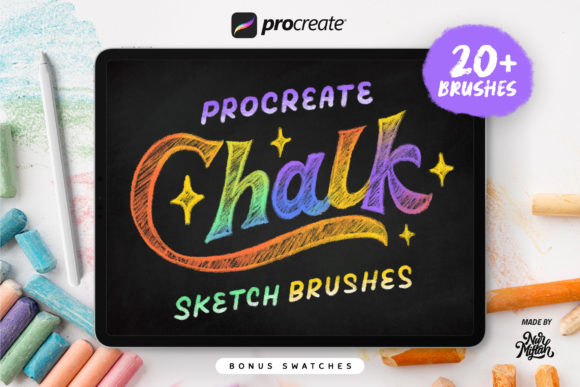
The core appeal of this brush set lies in its dedication to realism. Unlike standard digital brushes that often look too smooth or uniform, these tools are engineered to resemble the original texture of chalk strokes. When you drag the stylus across the canvas, you get that satisfying resistance and grain that makes the artwork feel hand-crafted. The product introduces 20 different chalk brushes, each designed for a specific stroke type or effect. You aren't limited to just one look; instead, you have a full toolkit ranging from coarse, heavy strokes for bold headlines to dusty, light touches for subtle shading.
Why Texture Matters in Digital Lettering
For creators working in typography and hand-lettering, texture is everything. A clean, vector-style font looks professional, but it can sometimes feel cold or impersonal. Chalk lettering, on the other hand, invites warmth and nostalgia. It suggests something handmade, approachable, and artisanal. Using Procreate Chalk Sketch Brushes allows you to inject this personality into your digital projects instantly. The variation in the 20 included brushes means you can build depth in your letters. You might start with a "coarse chalk" brush to lay down the main body of a word, then switch to a "dusty chalk" variant to add highlights or a worn-out edge that makes the text look like it has been there for days.
Beyond just drawing lines, the set includes specialized tools like a chalk eraser. This is a crucial detail often overlooked in basic brush packs. A standard digital eraser simply removes pixels, leaving a hard edge. A dedicated chalk eraser, however, fades the stroke away gradually, mimicking how a felt eraser lifts pigment from a board. This allows for natural blending and correction, making the workflow feel much more organic. For beginners, this feature alone can transform a stiff digital drawing into something that breathes and feels alive.
Versatile Applications for Business and Education
The utility of these brushes extends far beyond personal hobby projects. In a commercial context, the ability to create convincing chalkboard art is a valuable skill. Consider the writing of cafe menus. Many coffee shops and bistros rely on the chalkboard aesthetic to convey a sense of freshness and daily curation. With this brush set, you can design these menus digitally, tweak them endlessly without smudging real chalk, and then print them or display them on screens. The "wet chalk" variation included in the pack is particularly useful here, as it simulates the look of chalk markers which are popular for high-contrast signage.
Educators will also find immense value in this toolset. Teaching needs often require visual aids that capture attention. Creating worksheets, presentation slides, or explainer videos with a handwritten chalk style can make educational content feel less formal and more engaging for students. Instead of searching for stock images of blackboards that might not fit your specific lesson, you can generate custom diagrams, math problems, or vocabulary lists directly in Procreate. The bonus swatches included in the download further enhance this capability, providing pre-made color palettes that match classic chalk tones, saving you time on color theory and allowing you to focus on the content.
Getting Started with Your New Toolkit
If you are new to Procreate or digital illustration in general, diving into a specialized brush set can feel slightly overwhelming. However, the structure of this collection is designed to be intuitive. Since the brushes are categorized by their stroke characteristics—such as coarse, wet, or dusty—you can experiment easily. Start by selecting a dark background layer to simulate a blackboard; this is essential for the colors to pop correctly. Then, try the basic chalk brush to get a feel for the pressure sensitivity. One of the joys of using Procreate Chalk Sketch Brushes is how they respond to your speed and tilt, just like real tools.
It is important to note the technical requirements to ensure a smooth experience. These brushes are exclusively designed for the iOS APP Procreate. They utilize the specific rendering engine of Procreate to achieve their textured look. Consequently, these brushes DO NOT WORK IN PHOTOSHOP or other desktop applications. Attempting to import them elsewhere will result in errors or non-functional tools. Fortunately, for Procreate users, compatibility is broad. The set works seamlessly on Procreate 5X and is fully backward compatible with earlier versions, so you do not need the absolute latest update to start creating.
Maximizing the Bonus Features
A standout feature of this package is the inclusion of bonus swatches. While many brush sets focus solely on the tool itself, color plays an equally vital role in achieving a realistic chalk effect. Real chalk isn't just bright neon; it often has a pastel, muted quality with a bit of transparency. The provided swatches are curated to complement the brushes, offering a range of whites, creams, soft blues, and faded reds that behave like actual pigment. By adding these to your library, your collection becomes more complete, allowing you to switch between tools and colors without breaking your creative flow.
When using these brushes for decorations or complex lettering artwork, layering is your friend. Don't be afraid to use multiple brushes on a single letter. Use the "dusty" variant for a second pass over your initial stroke to create a halo effect, or use the eraser to chip away at the edges for a distressed look. The preview images associated with the product demonstrate these techniques clearly, showing how simple strokes can combine to create intricate designs. Remember, the goal is not perfection; the beauty of chalk art lies in its imperfections and texture.
Whether you are a freelancer looking to expand your service offerings to include social media graphics with a hand-drawn feel, or a small business owner wanting to create unique branding materials, this toolset offers a professional solution. It removes the barrier of needing physical space and materials while retaining the soul of traditional art. If you have any questions about installation or specific techniques, reaching out to the creator is always encouraged. Ultimately, these tools are here to help you enjoy the process of creation. So, pick up your Apple Pencil, select your favorite chalk texture, and start sketching your next masterpiece.