Elevate Designs with Gingham Lettering
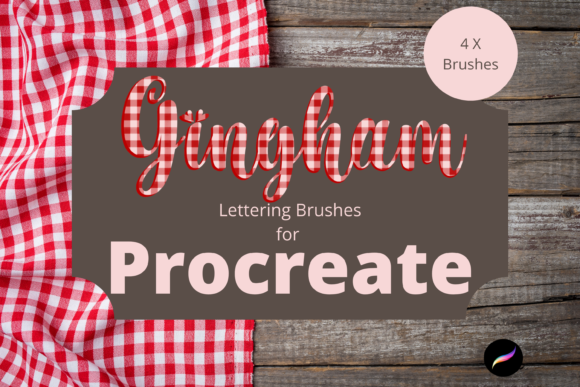
Transform your digital canvas instantly by integrating the Procreate Gingham Lettering Brushes X 4 into your creative workflow, offering a unique blend of classic pattern and modern typography. In an era where visual distinctiveness drives brand recognition, relying on standard fonts often leaves designs feeling generic. This textured patterned lettering brush set for Procreate is perfect for DIY projects, whether this be for continued digital crafting or for printed goods. The clip art elements can be used for greetings cards, scrapbooking, invitations, wall art, wrapping paper, print on demand and much much more.
The brush is inspired by the beautiful Gingham pattern, a timeless textile design that evokes feelings of nostalgia, warmth, and approachability. By embedding this texture directly into the stroke of your lettering, you create immediate visual interest without cluttering the composition. This brush pack includes 4 X lettering brushes - Gingham Sharp Edge, Subtle Gingham Edger, Soft Gingham, Dense Gingham – each engineered to provide varying levels of texture density and edge definition. These variations allow designers to maintain visual hierarchy while ensuring consistency across different elements of a project.
Strategic Applications in Brand Identity
For graphic designers and business owners, the utility of these assets extends far beyond simple decoration. When developing a brand identity, especially for lifestyle, food, or boutique markets, the tactile quality of gingham can communicate authenticity and craftsmanship. Unlike flat vector logos, these brushes introduce an organic feel that resonates well with audiences seeking human-centric design.
Consider the following practical applications where these brushes excel:
- Packaging Design: Create standout labels for artisanal jams, baked goods, or craft beverages where a homemade aesthetic adds perceived value.
- Social Media Graphics: Enhance engagement on platforms like Instagram and Pinterest by using textured headers that stop the scroll.
- Editorial Layouts: Use the "Subtle Gingham Edger" for drop caps or section dividers in digital magazines to break up text blocks elegantly.
- Merchandise: Design custom apparel or tote bags where the lettering mimics fabric weaving, creating a cohesive product look.
Technical Precision and Workflow Integration
Understanding the technical requirements is crucial for a smooth design workflow. These files are digital brushes that will only work within the Procreate App. To be able to use them you will need an Apple Pencil and the Procreate App installed on an iPad Pro. This will not work without this. The pressure sensitivity of the Apple Pencil interacts dynamically with the brush engine, allowing for natural line weight variation that mimics hand-lettering.
Setting up your environment correctly ensures you can leverage these tools immediately. To download and install the files you will need a platform to download the files to eg iCloud to be able to unzip the files for eg iZip. Once you have done this the files will then be imported to Procreate within a named folder. Organizing your assets this way keeps your library clean and accessible, a best practice for any professional maintaining a robust collection of creative assets.
Maximizing Visual Impact
When utilizing patterned typography, readability remains paramount. The "Gingham Sharp Edge" offers high contrast suitable for headlines, while the "Soft Gingham" works beautifully for body copy or background textures that do not compete with foreground information. Effective graphic design balances novelty with function; ensure your color palette complements the checkered texture rather than fighting it. High-contrast combinations, such as navy on white or crimson on cream, typically yield the best results for legibility.
Furthermore, these brushes support scalable digital marketing efforts. Because they are raster-based within Procreate, working at a high resolution (300 DPI) from the start ensures your designs remain crisp when adapted for both web banners and large-format print design. Whether you are crafting a logo concept or a seasonal advertising campaign, the ability to toggle between the four distinct brush styles allows for rapid iteration and A/B testing of visual concepts.
Ultimately, the choice of typography and texture defines the tone of your communication. Incorporating the Procreate Gingham Lettering Brushes X 4 provides a sophisticated shortcut to achieving a curated, bespoke look. By thoughtfully selecting the right brush variant and pairing it with a strategic layout, designers can elevate ordinary projects into memorable visual experiences that strengthen brand connection and drive user engagement.